

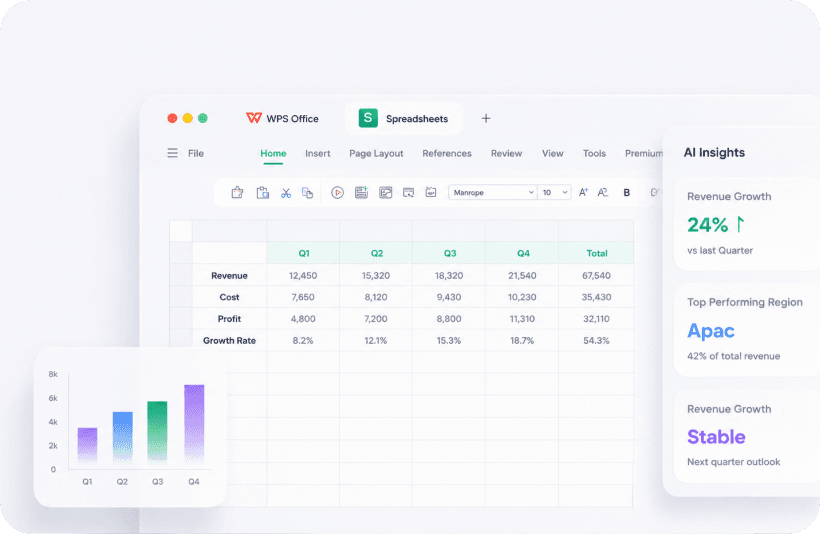
Everyday strengths
- Hundreds of functions Kingsoft advertises as “Excel-like.”
- Charts that are good enough for a class or a client PDF.
- CSV / TXT import and a familiar formula bar.
- AI help for “write a SUMIFS that…” - still verify the range.
Field note - Daniel, bookkeeper
Daniel runs household and sole-trader books in WPS on a 8 GB laptop. His office VAT workbook stays in Microsoft Excel because named ranges and two macros failed a dry-run. He exports CSV from the bank, opens it in WPS, and never double-clicks a CSV in a way that murders leading zeros on sort codes.
Breakage checklist
- Open the file, press F9, and compare a known total with Excel on another machine if you have one.
- Look for #NAME? - usually a function WPS does not implement.
- If the file is .xlsm, assume macros will not be your friend.
- Save your working copy as .xlsx unless you truly need a Kingsoft .et.
A dry-run before you trust a total
Open the workbook, press F9, and compare a known cell with Excel if you have it. Watch date locales: 03/04/2026 is March or April depending on the PC. CSV imports from UK banks often need a text-to-columns pass so sort codes keep leading zeros.
Charts and print
Charts are good enough for a PDF attachment. They are not a Power BI replacement. Before you mail a printout, check page breaks - Spreadsheet sometimes clips the last column on A4.
AI formula help is useful as a first draft. It is not a substitute for knowing what SUMIFS is doing. Verify the range.
WPS Spreadsheet vs Excel: search-intent answer
People type this because a free Excel alternative is only useful if totals match. For household books, class grades, and a simple invoice workbook, Spreadsheet is enough. For Power Query, Power Pivot, and macros, it is not. Recalculate. Compare a known total. Watch date locales and leading zeros in CSV bank exports.
Formulas and #NAME?
Common SUM, IF, VLOOKUP, and XLOOKUP-style work is the comfort zone. If you see #NAME?, the function is missing or spelled for another locale. Do not “fix” a client model by rewriting formulas until you have a second copy.
Keep reading
- File formats - xlsx, csv, xlsm, and Kingsoft .et.
- Suite comparison - When to keep Microsoft 365.